Why did my scanned-looking PDF get so large?
See why turning text into page images changes PDF size, how resolution affects it, and how to compare readable outputs with a reproducible sample.
Compare scan settings →A page image can cost more bytes than text
A digital PDF can describe a page using text, fonts and drawing instructions. ScanYourPDF renders each page into an image, applies the effect and puts that image into a new PDF. A short text document may therefore become much larger. An image-heavy source can behave differently, so there is no universal size ratio.
The table in the sample section reports the actual supplied files, not an estimate for your documents. Download them and compare their properties using the same PDF viewer or file manager.
Resolution has a large effect
Resolution controls the number of pixels used to represent a page. Doubling both width and height produces four times as many pixels before compression. It does not necessarily produce a PDF exactly four times as large, because encoding and the page content also affect the result.
Higher resolution can help small text and fine lines. Lower resolution can reduce memory use and file size, but can make details less clear. Compare the final PDF at 100% and at the intended print size before choosing a setting.
Reduce size without sacrificing the details that matter
Use a short test document before processing a long file on a phone. The editor accepts PDFs up to 50 MB, but the time and memory needed also depend on page count and rendering settings.
- Check the source size and page count. Keep the original untouched.
- Start with the standard resolution and a light effect. Download and measure the result.
- If it is too large, reduce resolution by one step and compare the smallest text, table borders and signature.
- Avoid unnecessary noise: texture adds image detail that can be harder to compress.
- Check every page and the recipient’s attachment limit. Use the original PDF when a scan appearance provides no benefit.
Compression and OCR solve different problems
A smaller image does not restore text selection or search. ScanYourPDF does not add an OCR text layer to the rasterized result. If searchable text is required, preserve the original or use a separate OCR workflow and verify its accuracy.
There is no promised output size or compression percentage. Resolution, page content, image format and page count all contribute. Treat a sample measurement as a repeatable example rather than a prediction for every PDF.
Inspect the same document before and after
The fictional sample contains large text, a table and a labelled example signature. Open either image at full size to inspect the page; download the PDFs to check the exported document itself.
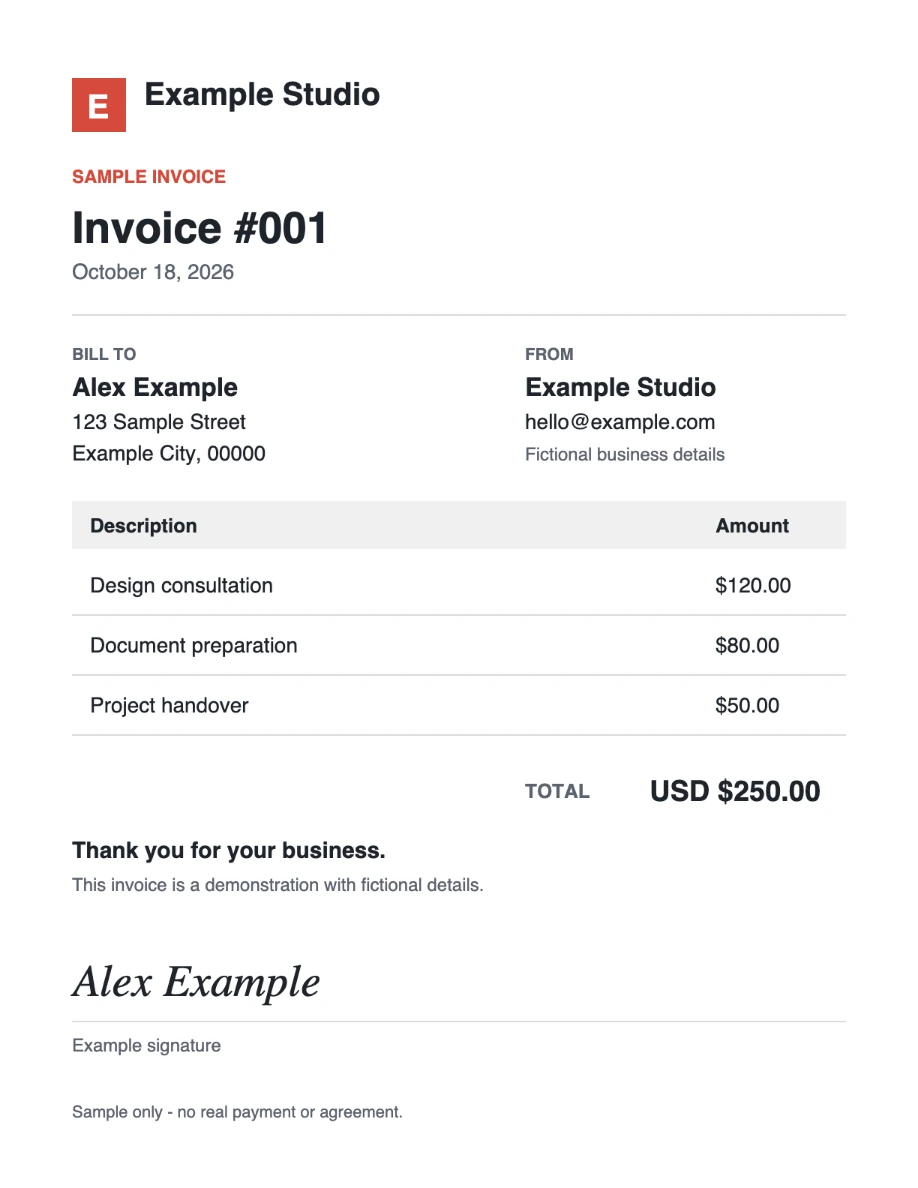
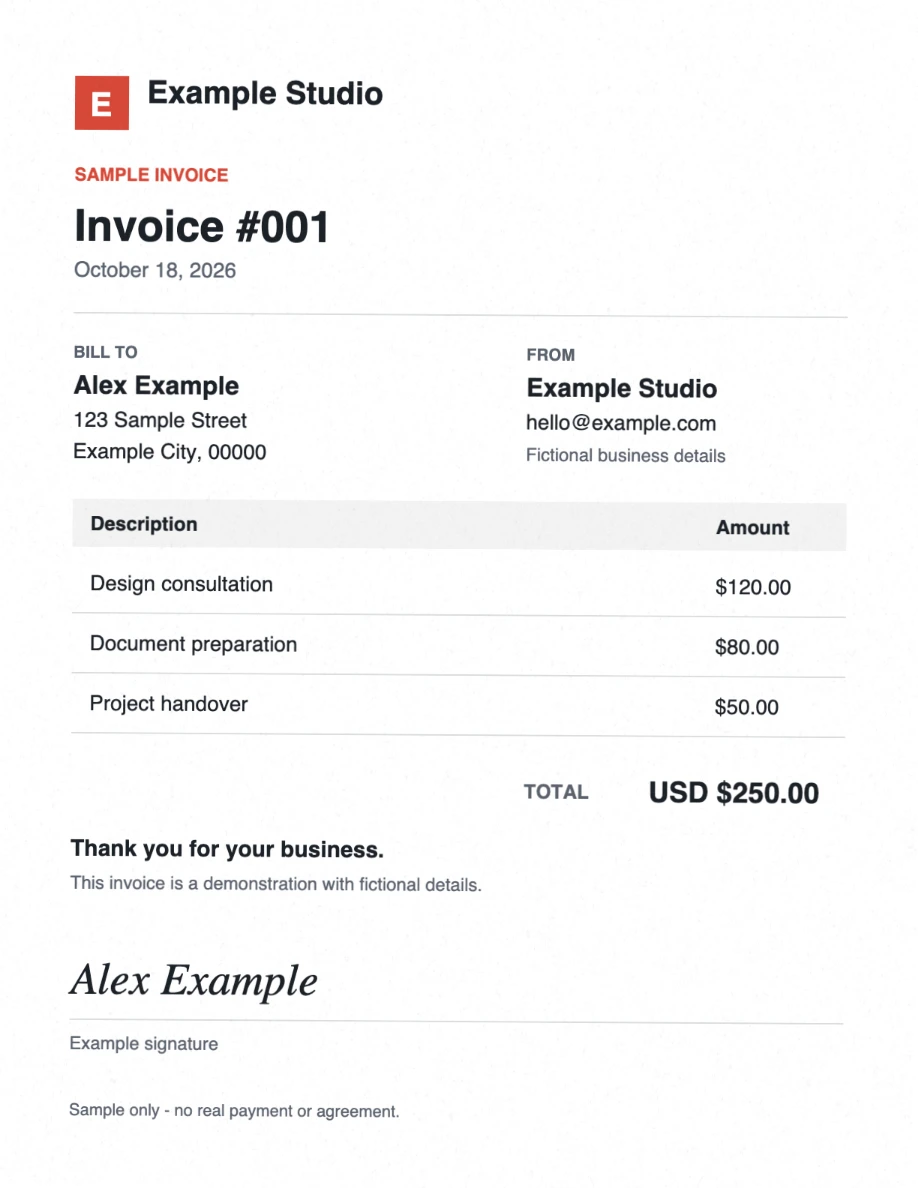
Download original PDFDownload scanned PDFView reproducible settings
These sample downloads do not use your daily document allowance.
Three intensities, one source
All three outputs use the same one-page Letter source and 144 ppi (1224 × 1584 pixels). The signature is already in the source; this comparison changes the scan effect only. These labels describe the sample presets, not saved presets currently offered by the editor.
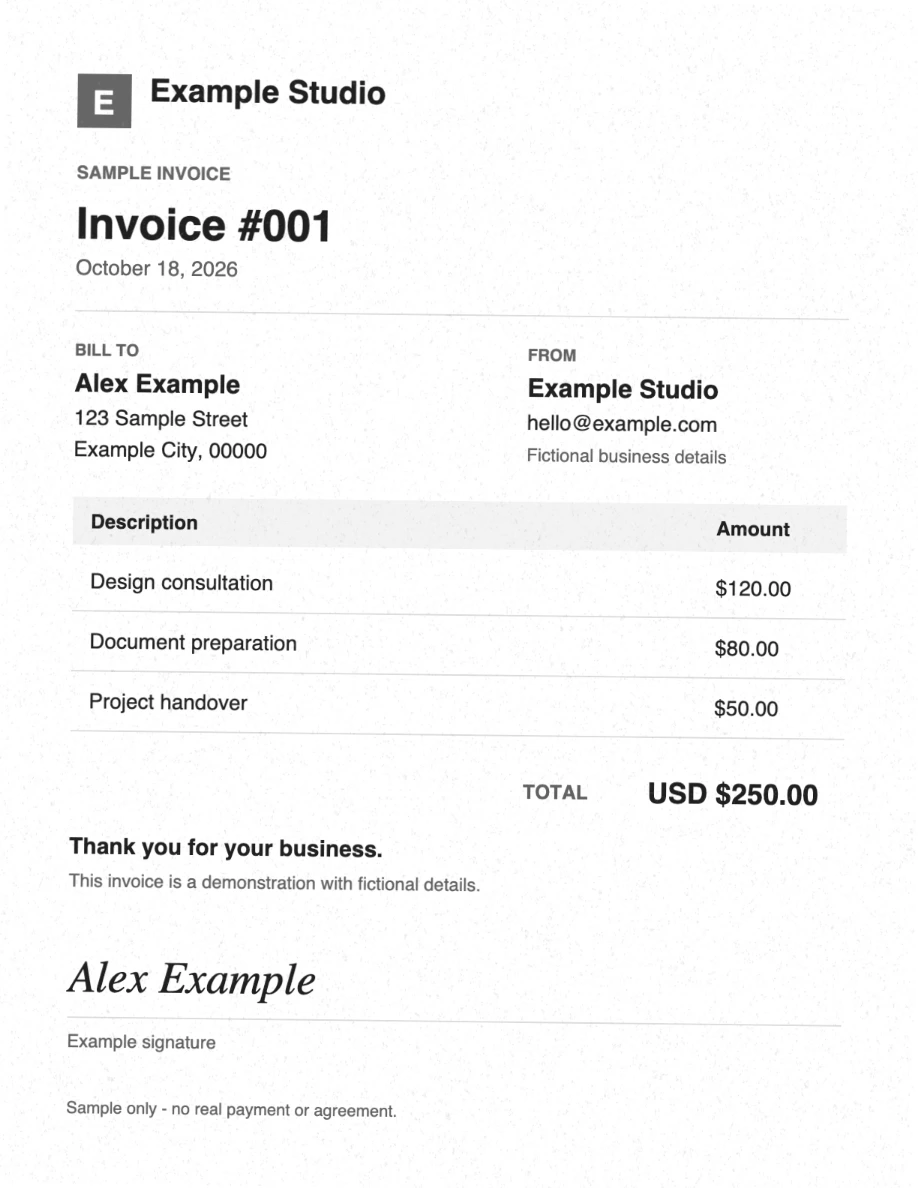
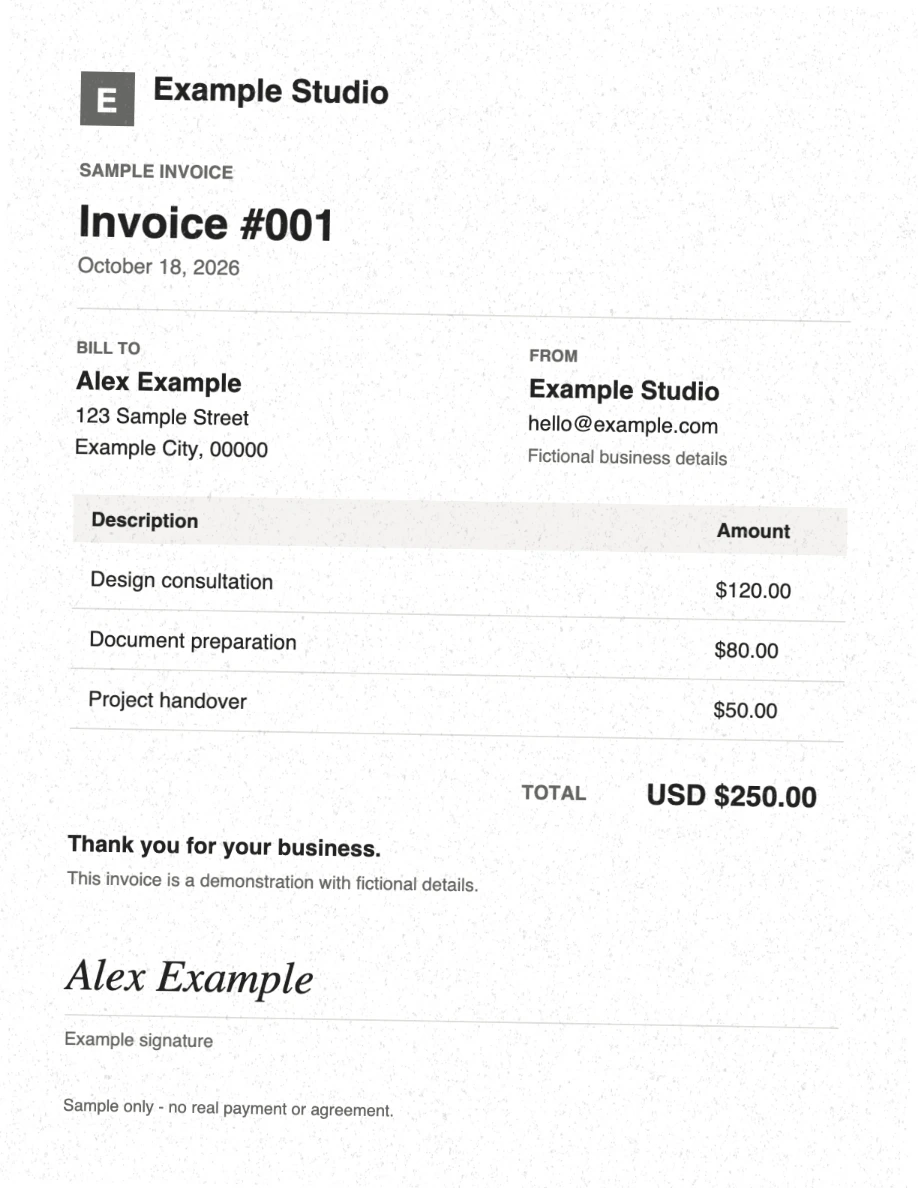
| File | Bytes | Rotation | Blur | Noise |
|---|---|---|---|---|
| Original | 2147 | Digital source, before rendering | ||
| Light | 683743 | 0.35° | 0.18 px | 0.12 |
| Medium | 758169 | 0.65° | 0.3 px | 0.25 |
| Strong | 931978 | 1° | 0.55 px | 0.4 |
Rotation variance is fixed at zero, brightness is 1, scale is 2, borders are off and output images use JPEG. Light uses color, medium/strong use grayscale. Strong also adds a small yellowish effect. The full contrast, color and effect values are in the settings file. The source is compact text/vector content; each output contains a full-page image, which explains this example’s large increase in bytes.
To reproduce: run the generator documented with the example files, then compare at 100%. Fixed parameters make the method repeatable; browser image encoding and PDF metadata can produce different bytes on regeneration.
One PDF per day is free. Pro offers unlimited scans for $2/month or $20/year. See plans.